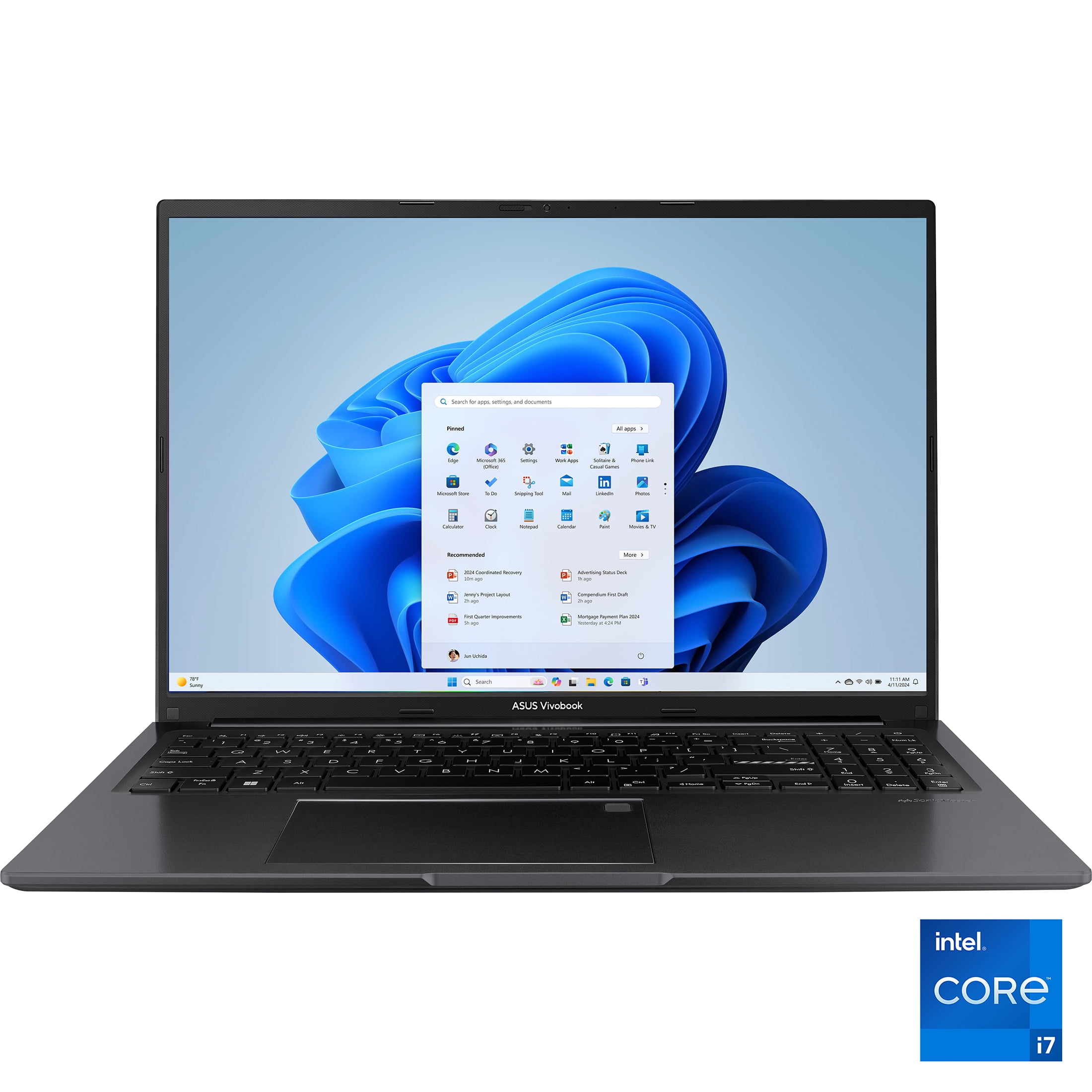
If you've been hunting for a new laptop that gives you plenty of screen real estate without breaking the bank, Walmart just dropped a price that's worth a serious look. The ASUS Vivobook 16, a model that usually hovers closer to $650, is now sitting at $529.99. For that money, you're getting a surprisingly well-equipped machine for general use, schoolwork, or office tasks. Let's break down what makes this deal interesting and who it's really for.
Why This Price Stands Out
Finding a laptop with a modern Intel Core i7 processor and 16GB of RAM for around $500 is not easy. Typically, at this price point, you'd see Core i5 chips and maybe 8GB of RAM. The $529.99 tag here pushes it into a sweet spot for value. Historically, Vivobook models with similar specs tend to retail between $600 and $700, so a sub-$530 price represents a meaningful dip. It's not an all-time low, but it's a very competitive price for the configuration today.
The Big Screen Advantage
The 16-inch display is the centerpiece. With a 1920x1200 resolution (that's a bit taller than standard 1080p), it offers more vertical space for scrolling through documents, web pages, or spreadsheets. The 300-nit brightness and matte finish should help with glare under office lights. It's not a high-refresh-rate gaming panel, but for productivity and media consumption, it's a major upgrade over smaller, dimmer screens commonly found in budget laptops.
What Can You Actually Do With It?
This is not a gaming or video editing powerhouse, and that's okay. Its strengths lie elsewhere. The combination of the 10-core i7-1355U and 16GB of RAM means it will handle daily multitasking with ease. Think having two dozen browser tabs open, a word processor, a spreadsheet, and a video call all at once without slowing to a crawl.
The integrated Iris Xe graphics are fine for very light gaming (think older titles or indie games at lower settings) and will smoothly drive the display and handle video playback. It's perfect for students, remote workers, or anyone who needs a reliable, large-screen machine for general computing, research, writing, and communication.
- Excellent for: Office suites, web browsing, video conferencing, online classes, writing, light photo editing.
- Manageable for: Casual gaming, very light video editing for social media clips.
- Not ideal for: AAA gaming, professional-grade video rendering, intensive 3D work.
Practical Considerations Before You Buy
The specs are great for the price, but keep a couple of things in mind. First, the storage is a 512GB SSD. That's standard, but if you have a large media library or work with big files, you might need an external drive or be prepared to upgrade the SSD later (check if it's user-accessible).
Second, while ASUS claims up to 8 hours of battery life, real-world use with the screen bright and Wi-Fi on will likely be less—probably in the 5-7 hour range for mixed use. The fast charging is a nice perk to top up quickly.
Finally, the port selection is decent for a modern laptop, including USB-C, USB-A, and HDMI, so connecting peripherals or an external monitor should be straightforward.
Bottom Line
- A compelling price for a Core i7 laptop with 16GB RAM and a large 16" screen.
- Ideal as a primary machine for productivity, not for heavy gaming or creative workloads.
- Check Walmart's page for current stock, as these deals can sell out.
Common Questions
Is this a good laptop for a college student?
Absolutely. The large screen is great for research and writing papers, the performance is more than enough for academic software, and the battery life should get you through a day of classes. The 16GB of RAM is a future-proofing bonus many student laptops lack.
How does this compare to a Chromebook?
This is a full Windows laptop, which means it can run any Windows application (like specific academic, professional, or desktop-grade software). A Chromebook is limited to web apps and Android apps. For versatility and long-term use, this Vivobook is a more powerful and flexible choice if you need Windows.
Does it have a numeric keypad?
Based on the typical Vivobook 16 design and the listed specs, yes, a 16-inch laptop like this almost certainly includes a full keyboard with a numeric keypad on the right side, which is a boon for data entry.
Comments (0)
No comments yet. Be the first to share your thoughts!
Leave a Comment