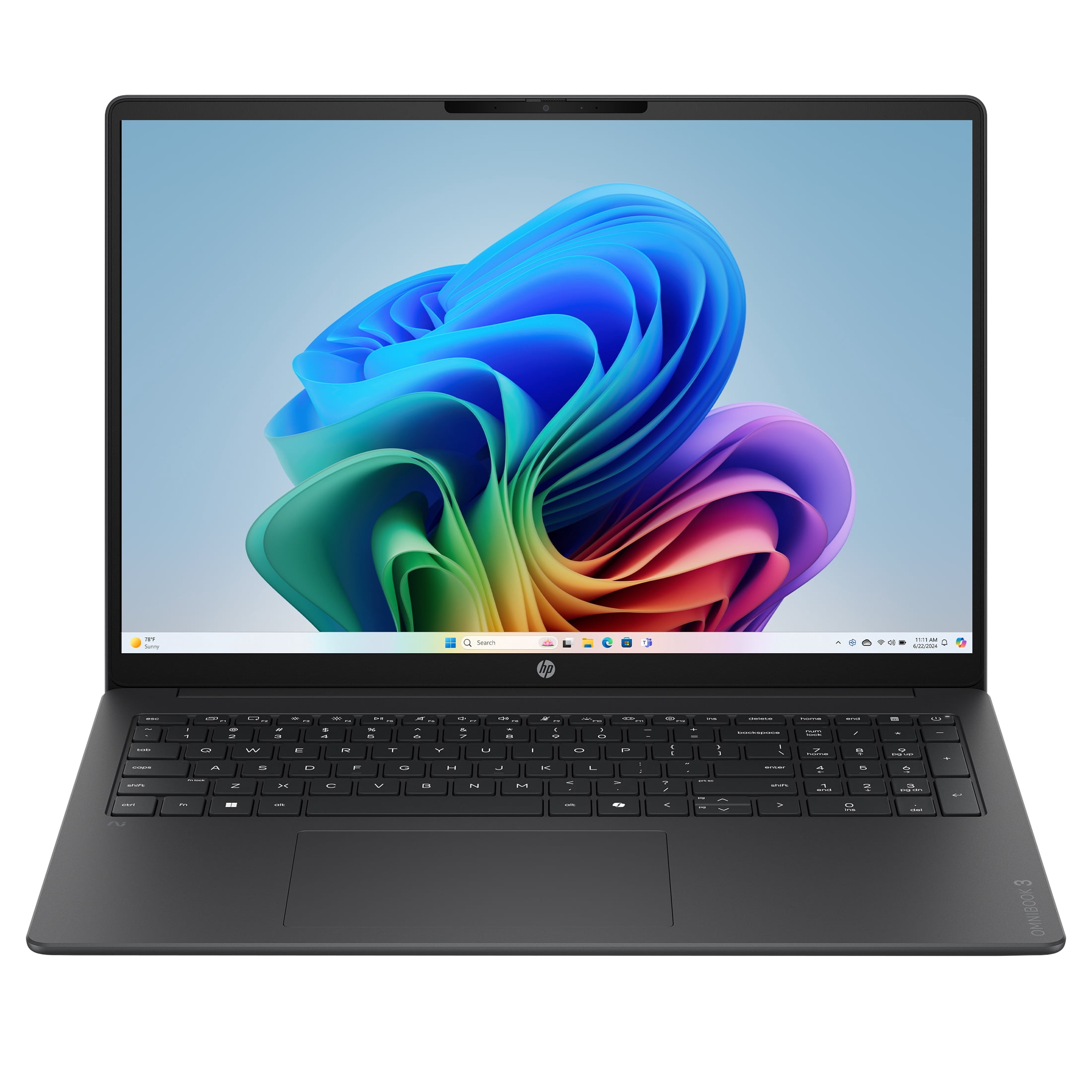
Alright, let's talk about something that doesn't happen every day: a genuinely compelling price on a brand-new category of laptop. We're seeing the first wave of Copilot+ PCs with Qualcomm's Snapdragon X chips hit the market, and they're promising incredible battery life and on-device AI. The catch? They usually start well above $800. That's why this HP OmniBook 3 deal at Walmart is turning heads. At $429, it's not just a good deal—it's an entry point into this new tech that feels almost too good to be true. Let's break down what you're actually getting and whether it's worth your money.
Why This Price is a Big Deal
Snapdragon X laptops are the new kids on the block, designed to compete directly with Apple's M-series MacBooks on battery life and efficiency. The promise is all-day computing without a charger, plus snappy AI features that run locally on the laptop itself. The problem? Early adopters usually pay a premium. Seeing a fully-fledged model with 16GB of RAM and a decent SSD for under $450 is a significant shift. Historically, you'd be looking at budget Intel or AMD chips at this price, not a first-generation ARM-based system with these AI credentials. This price makes it a low-risk way to try out the platform.
What Can You Actually Do With It?
This isn't a gaming rig or a video editing powerhouse. The Snapdragon X X1-26-100 is the entry-level chip in the series, but don't let that fool you. Its strength is in efficiency and AI-accelerated tasks. Think of it as the perfect machine for:
You'll get fantastic battery life—likely well over a full day of typical use. The 16GB of RAM is the sweet spot for keeping dozens of browser tabs, office apps, and communication tools running smoothly without slowdowns. The 512GB SSD is plenty for documents, photos, and a reasonable media library. The 16-inch 2K IPS screen with a taller 16:10 aspect ratio is a huge bonus at this price, giving you more vertical space for reading and working.
- Students: Writing papers, research, and streaming lectures.
- Remote Workers: Video calls, email, spreadsheets, and web apps.
- Casual Users: Web browsing, media consumption, and light creative dabbling.
- Tech Curious: Anyone who wants to experience Windows on ARM and Copilot+ AI features without spending a fortune.
The Fine Print & Things to Consider
As with any new architecture, there are a few caveats. The biggest is software compatibility. While Windows 11 on ARM has come a long way with emulation for x64 apps, some niche or older software might not run perfectly. For 99% of people using mainstream browsers, Office 365, Spotify, and Zoom, it'll be seamless. But if you rely on a very specific, obscure Windows application, it's worth a quick Google to check.
Also, note the display resolution. While marketed as '2K' and excellent for the price, it's 1920x1200, not the sharper 2560x1600 found on more premium models. For a 16-inch screen, it's perfectly crisp for everyday tasks, but don't expect the pixel density of a high-end ultrabook. Finally, this is sold and shipped by Walmart.com directly, which means you get their standard return policy and support.
Bottom Line
- Exceptional value for a new Copilot+ AI PC with Snapdragon X.
- The 16GB RAM and 512GB SSD configuration is ideal for future-proofing.
- Perfect for productivity, studying, and general use with outstanding battery life.
- Be mindful of potential software compatibility for very niche applications.
Common Questions
Is this good for gaming?
No, not really. It's built for efficiency and AI tasks, not graphics-intensive gaming. You can play casual or older titles, but don't expect to run the latest AAA games.
How does the battery life compare to a typical laptop?
It should be significantly better. Snapdragon X chips are designed like smartphone processors for extreme power efficiency. Expect all-day battery life, potentially 15+ hours of light use, which dwarfs most Intel/AMD Windows laptops at this price.
What does 'Copilot+ PC' mean?
It's Microsoft's designation for PCs that meet specific hardware requirements for advanced AI features. This includes a dedicated Neural Processing Unit (NPU) for tasks like live translation, AI-powered image generation, and Recall (a feature that helps you find anything you've seen on your PC). These features run on the device, not in the cloud.
Comments (0)
No comments yet. Be the first to share your thoughts!
Leave a Comment